Background Data
SignalSync has two types of background data:
A. Master Data
This set of data structures is common to all applications and is grouped inside the Process named Master Data.
Click to view Master Data
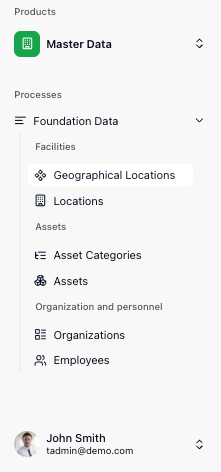
Geographical Locations allows the administrator to define:
- Countries
- Counties
- Cities
- Properties
Click to view Geographical Locations
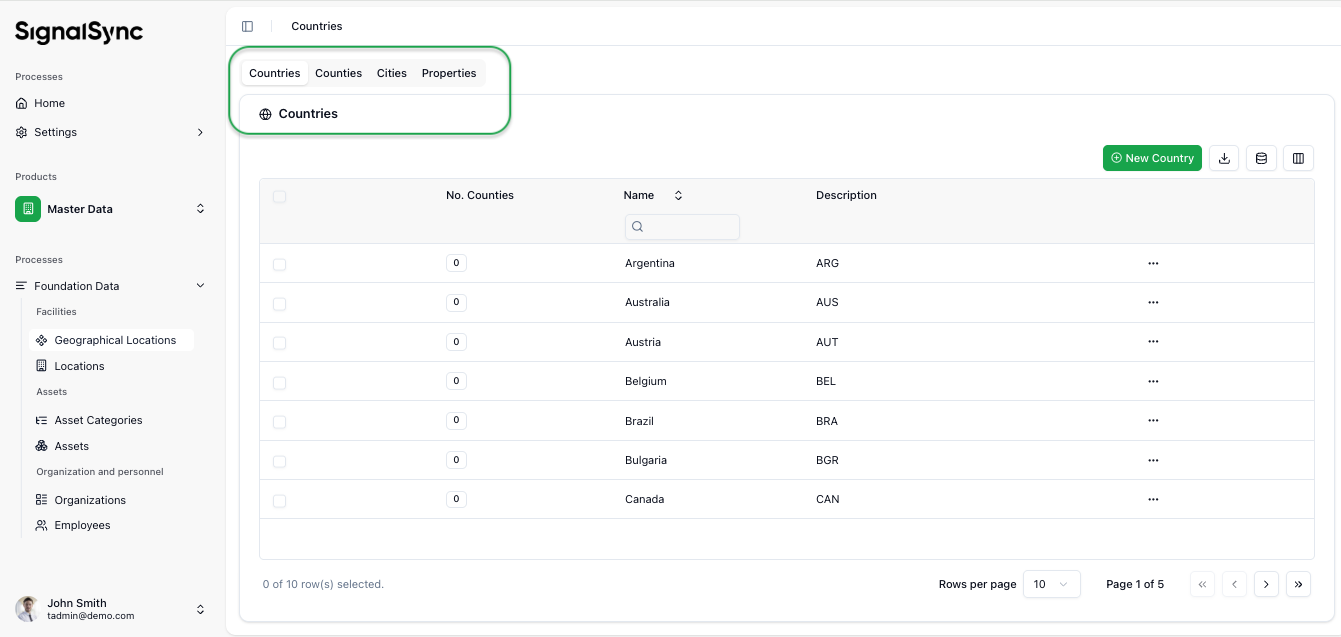
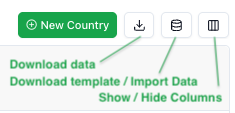
Standard operations with master / background data include:
- Add new item — allows the user to add new items one by one
- Download the list of entities
- Download a template — with or without existing entities included
- Bulk upload — based on the downloaded template, multiple entities can be uploaded at once (e.g., Cities or Properties)
- Show / Hide Fields for selected entities (e.g., for the entity "Countries", fields such as "Name" or "Description" can be shown or hidden)
Click to view Grid Controls
B. Background Data
The Facility Maintenance application relies on a robust set of structured data to categorize incidents, route tasks to the correct providers, and track costs accurately. Understanding these configurations is essential for efficient reporting and management.
Service Catalog
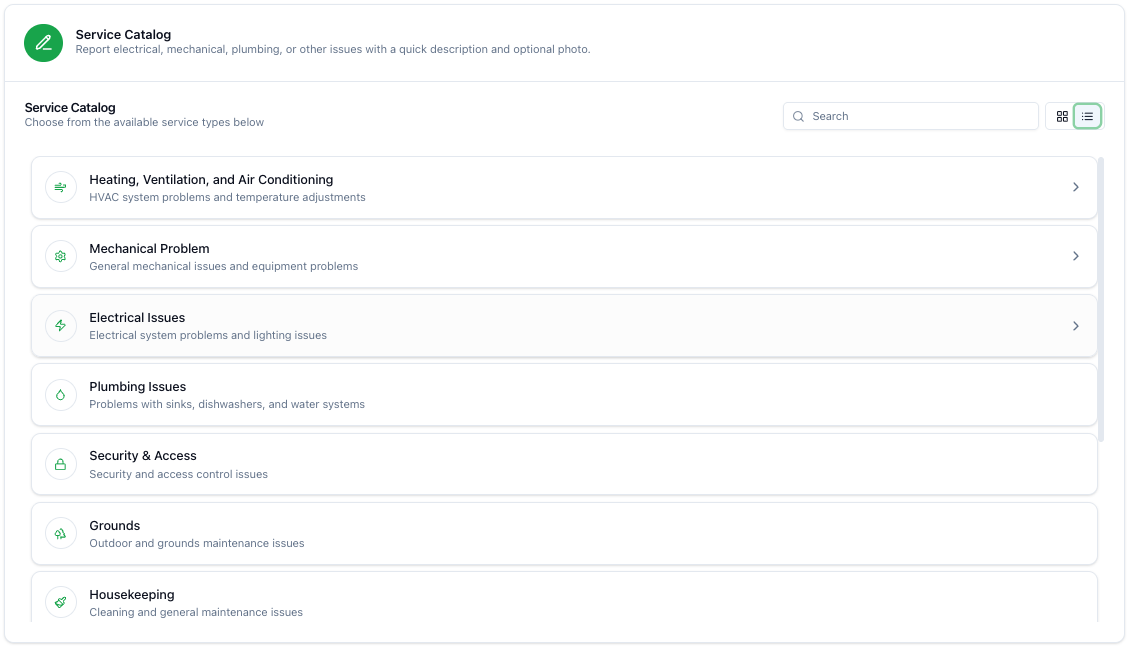
The Service Catalog is the entry point for any Corrective Maintenance request. It acts as a predefined library of maintenance domains available to the organization.
The Service Catalog can be viewed as a List:
Click to view Service Catalog list
or as Cards:
Click to view Service Catalog cards
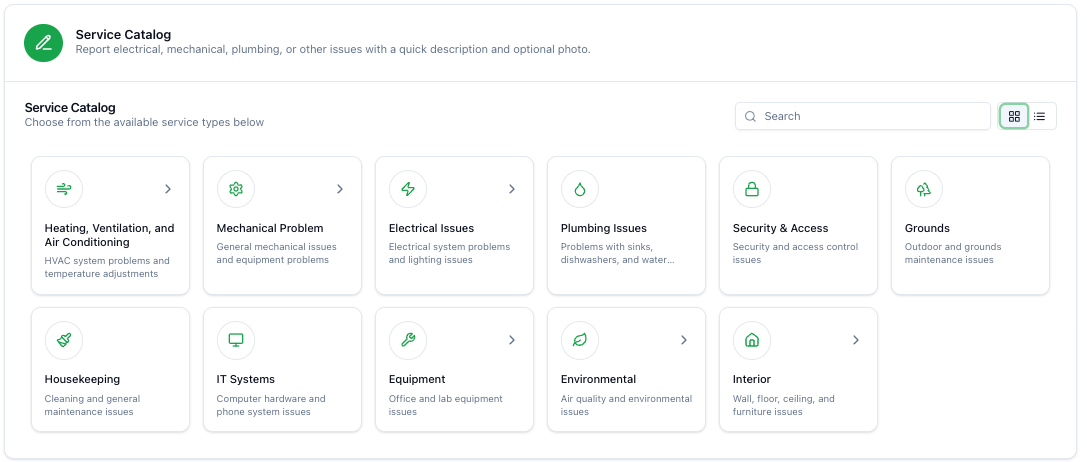
- Structure: The catalog is organized visually using tiles and icons for each main category.
- Categories: The system supports various specialized domains, including:
- Electrical: Issues related to lighting, power outlets, and panels.
- HVAC: Heating, Ventilation, and Air Conditioning systems.
- Sanitary: Plumbing, water supply, and restroom facilities.
- Fire Security: Fire alarms, hydrants, and extinguishers.
- IT Systems: Cabling, server rooms, and physical IT infrastructure.
- Interior/Exterior Spaces: General building maintenance, painting, doors, and access.
- Equipment: Specific machinery or assets.
- Workflow Routing: Selecting a specific category (e.g., "Electrical") automatically routes the ticket to the designated Service Provider or Internal Team responsible for that domain at that specific location.
Location Hierarchy
To ensure rapid intervention, the system uses a granular location hierarchy. Every request must be assigned to a specific point in this structure.
- Site / Building: The main facility (e.g., "Headquarters HQ", "Executive Tower").
- Floor: The specific level within the building (e.g., "4th Floor", "Ground Floor", "Basement").
- Room / Zone: The specific room, office number, or zone identifier (e.g., "Project Room 451", "Office 102").
Correct location selection is mandatory for the Supervisor to approve the request and for the Technician to locate the fault.
Priorities & Service Level Agreements (SLAs)
The application uses a 3-tier priority system to manage expectations and deadlines. The priority determines the SLA (Service Level Agreement) — the maximum time allowed for resolution.
| Priority Level | Resolution SLA | Description |
|---|---|---|
| Urgent | 24 Hours | Critical issues affecting operations or safety (e.g., power outage, water leak). |
| Normal | 48 Hours | Standard maintenance requests that do not pose an immediate risk. |
| Low | 72 Hours | Minor repairs, cosmetic issues, or non-urgent adjustments. |
- Adjustment: The priority is initially selected by the requester but can be upgraded or downgraded by the Supervisor during the "Classification" phase if the initial assessment was incorrect.
Equipment Registry
Assets and machinery are indexed in the system to allow tracking of the Total Cost of Ownership and maintenance history.
- Identification: Each piece of equipment has a unique identifier code (e.g.,
AST-EQ-000282). - Integration:
- Preventive Maintenance: PM plans are directly linked to equipment codes (e.g., "Daily Cleaning Tasks" for a specific zone or machine).
- Corrective Maintenance: Users can select the specific broken equipment from a list when reporting an issue, linking the repair costs to that asset.
Cost Categories
To generate accurate Cost Estimates and track actual spending, the system uses standardized cost categories. Providers must categorize every line item in their financial reports.
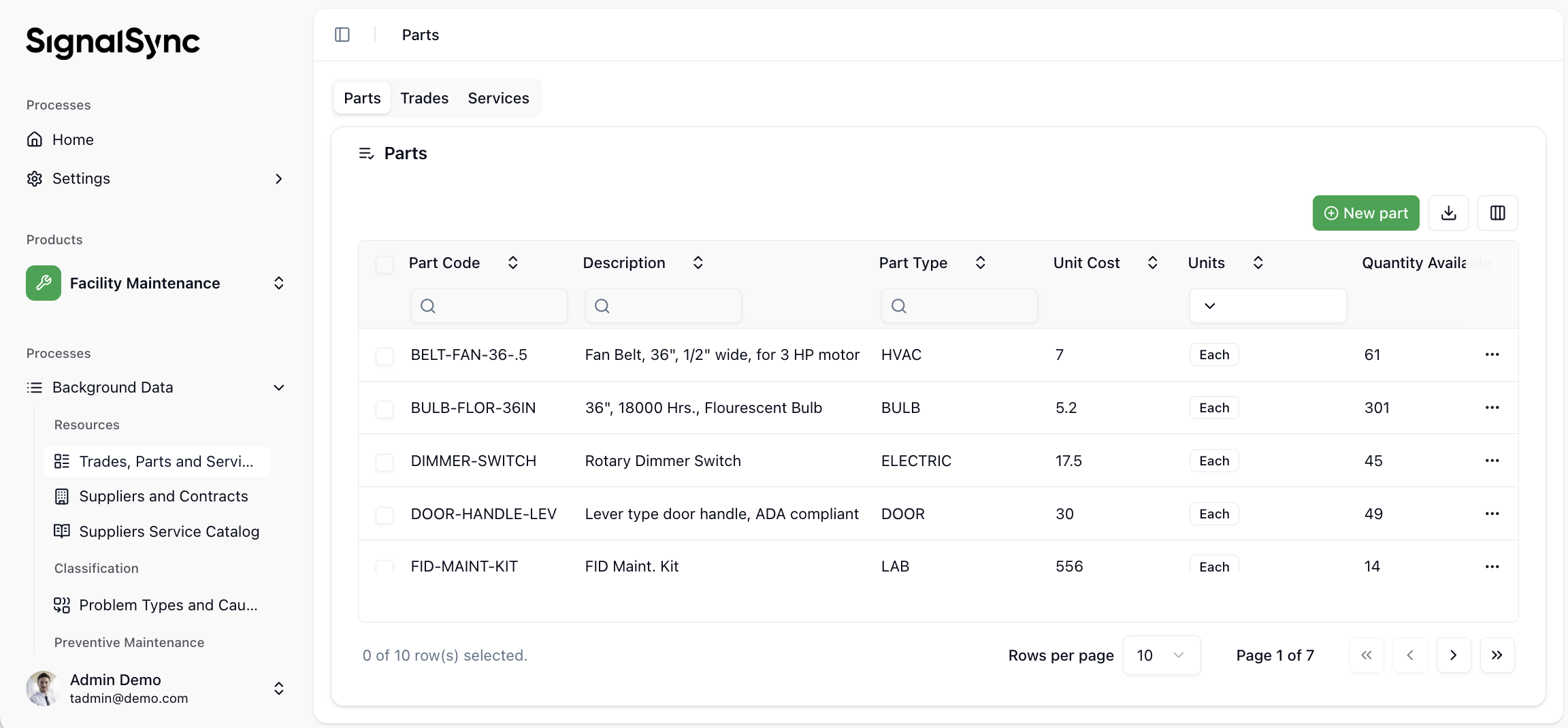
- Spare Parts & Materials: Tangible items consumed during the repair. Requires defining the name, quantity, and unit price.
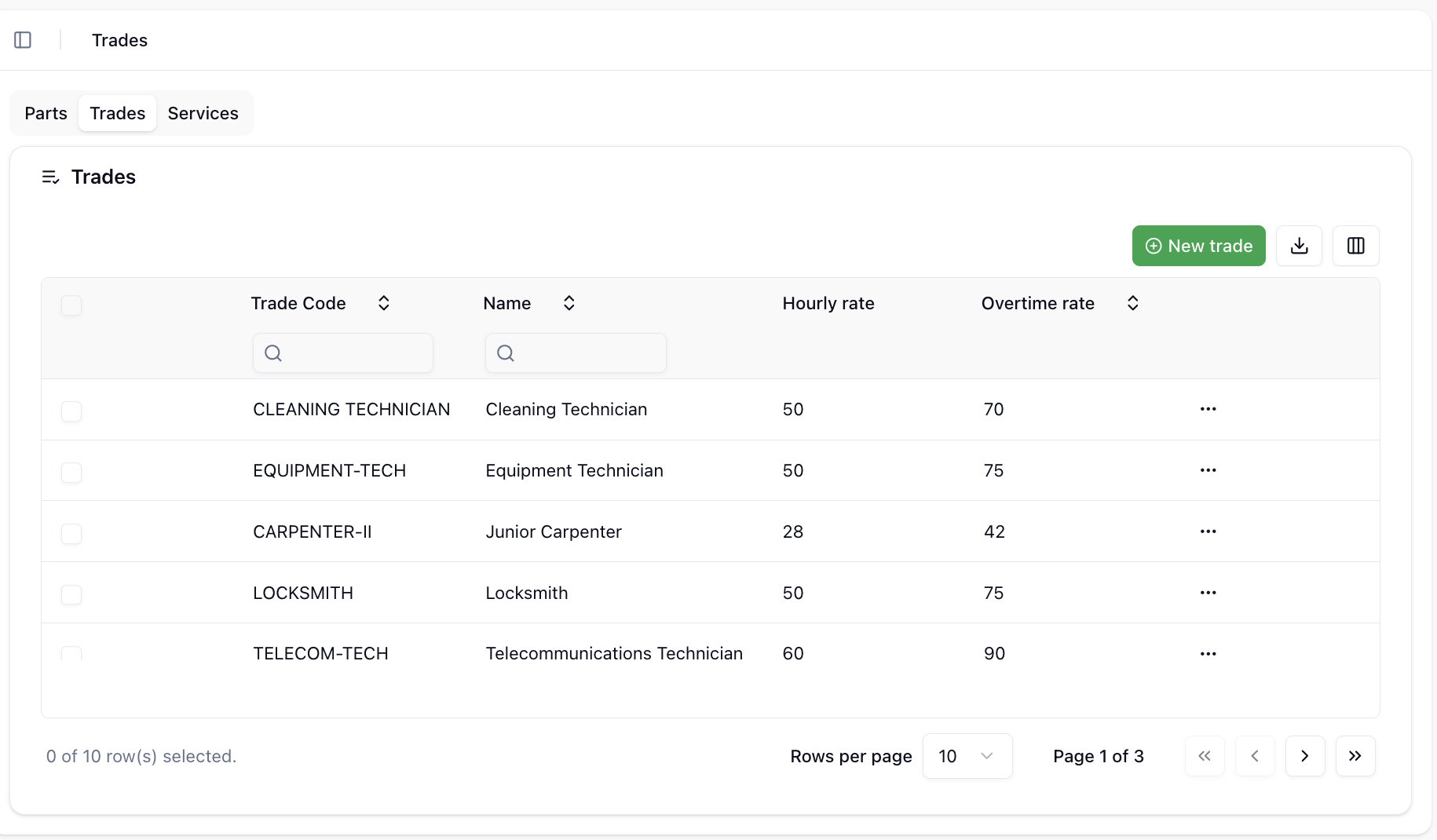
- Labor: The time spent by technicians. Requires defining the estimated hours and hourly rate.
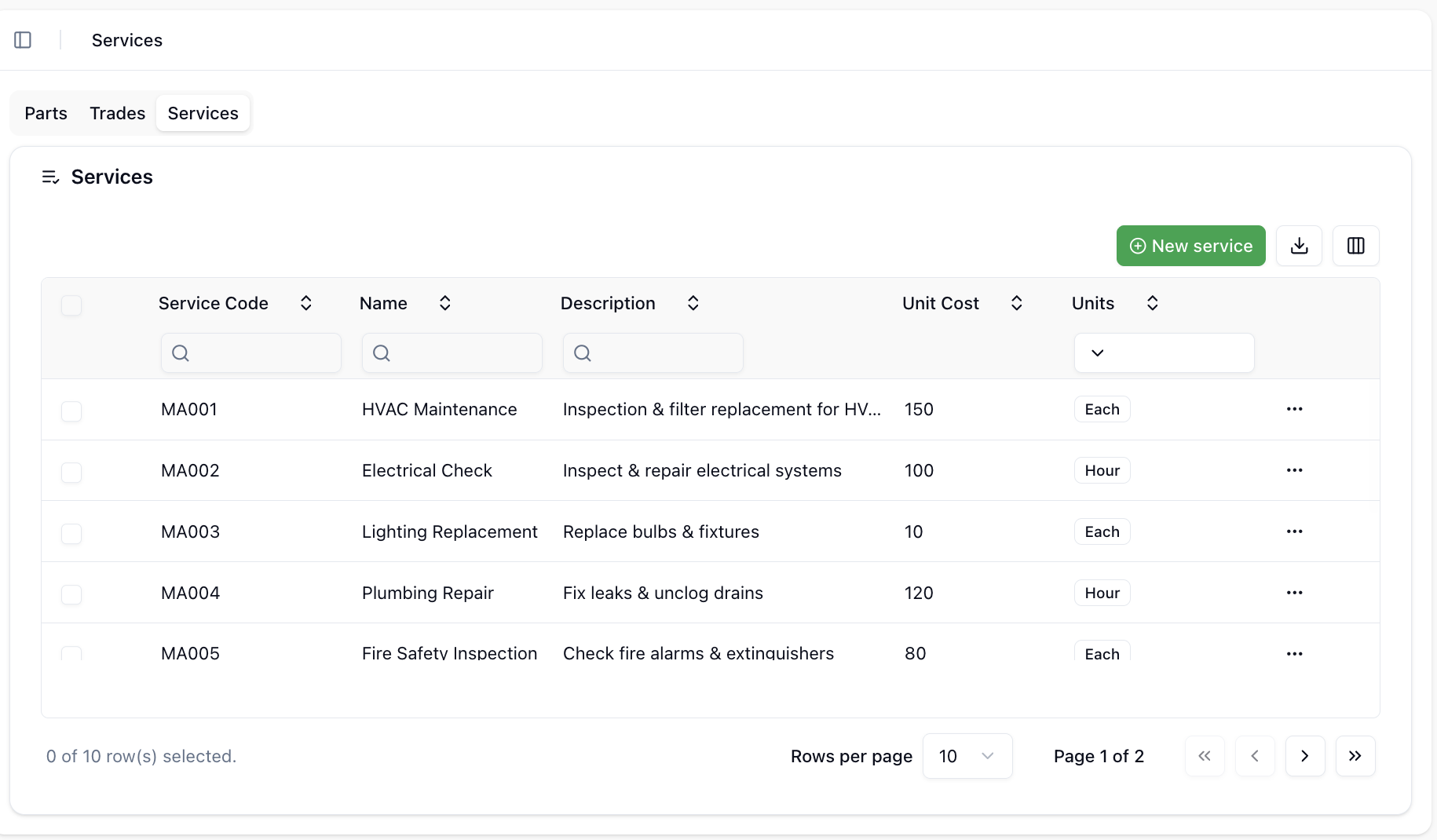
- Services: Specialized external services (e.g., renting a crane, expert certification, specialized cleaning).
- Other Costs: Administrative fees, transport costs, or taxes.
Spare Parts & Materials:
Click to view Spare Parts & Materials
Services:
Click to view Services
Trades:
Click to view Trades
Request Statuses
Understanding the status lifecycle helps users track the progress of their requests.
Default statuses ready to be used in workflows are:
Click to view Default Statuses
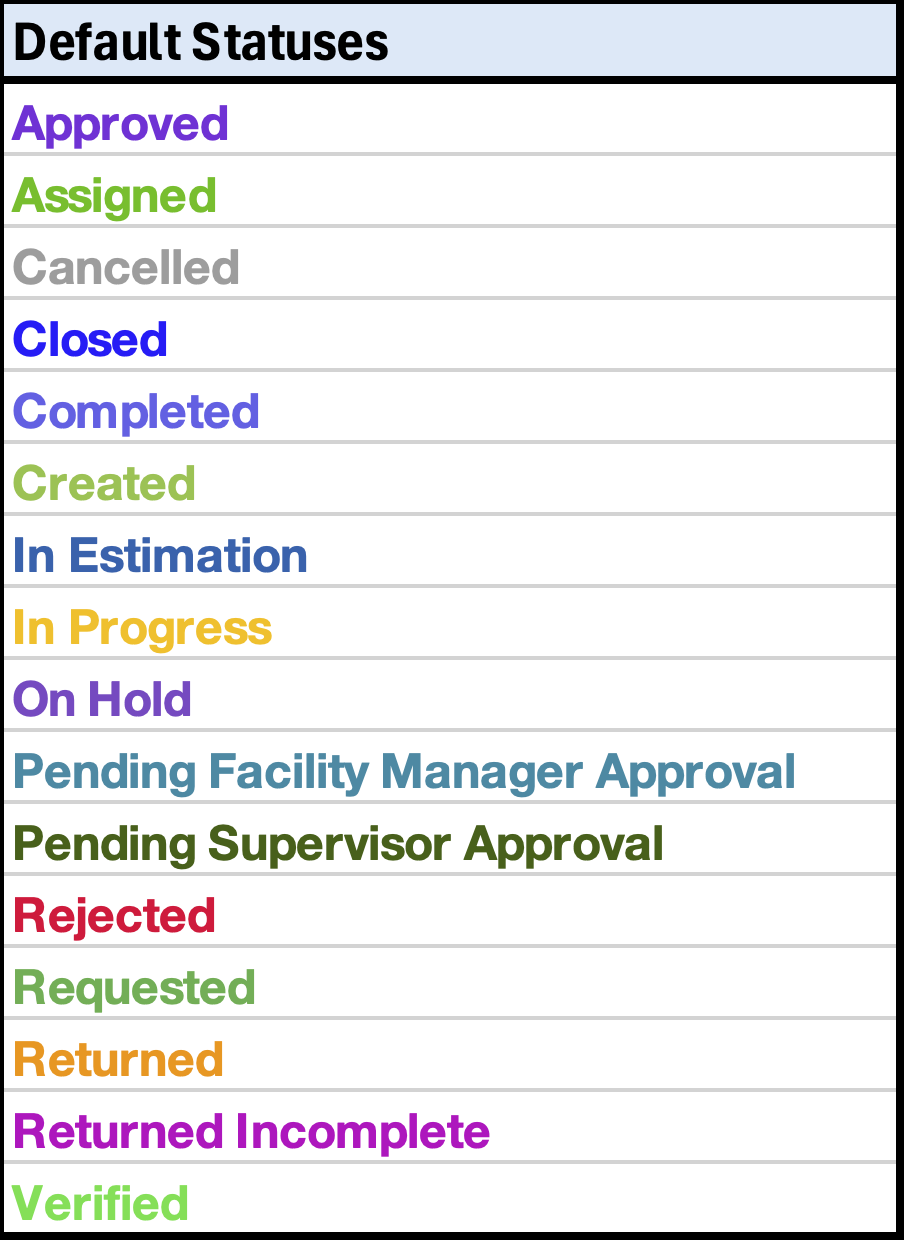
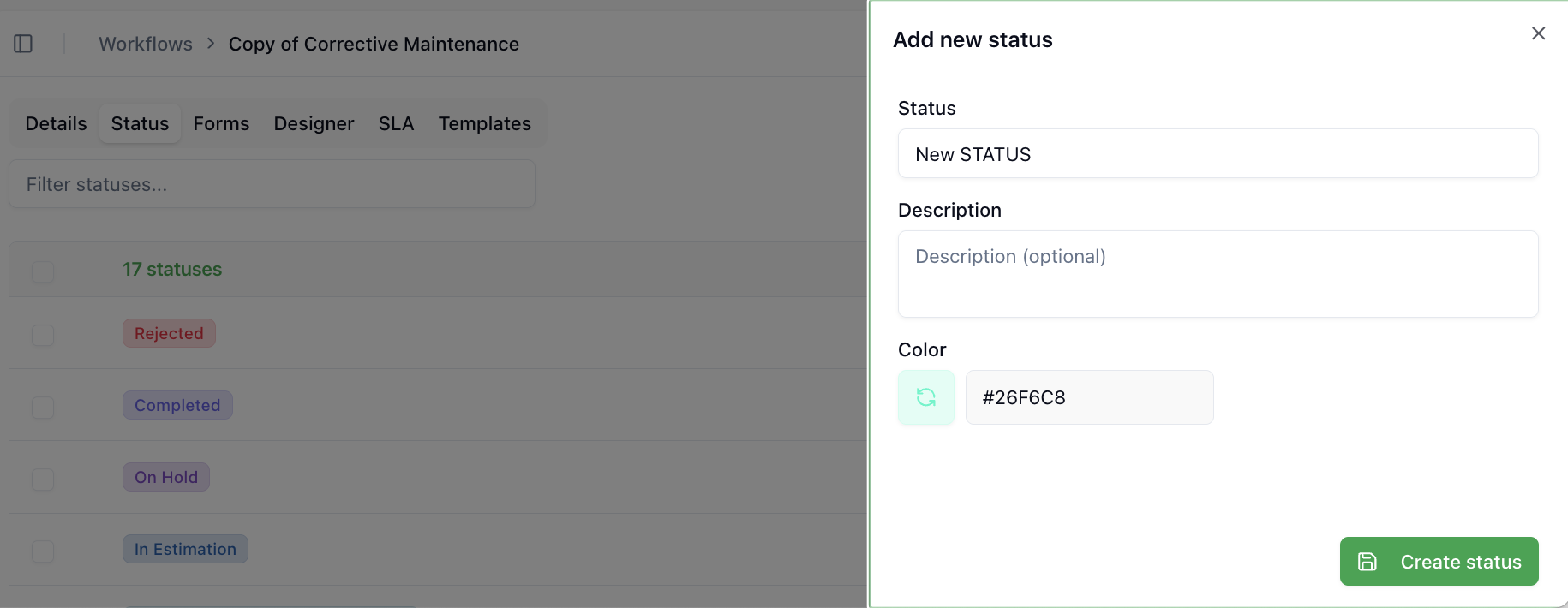
New statuses can be created on the fly by users inside the flows, becoming immediately available in workflows.
Click to view New Status creation
The most frequently used statuses in workflows are:
| Status | Description |
|---|---|
| Requested | The request has been created by the client and is awaiting Supervisor classification. |
| Assigned | The Supervisor has assigned a Service Provider. |
| In Progress | The Provider has accepted the ticket and started work. |
| Pending | Work is paused due to blockers (e.g., waiting for parts, no access). |
| In Estimation | The Provider is creating a cost estimate for approval. |
| Approved | The estimate has been reviewed and approved by the Supervisor or Facility Manager. |
| Completed | Work is done, pending final verification. |
| Closed | The Client has confirmed the resolution; the ticket is closed and archived. |
By editing the workflow, any custom status can be created and used throughout the workflow steps.